
July 19, 2026*
VerityLoft may earn a commission if you click through and buy through our links, including the one here. This does not change our review, our score, or our independence.
Most website builders sell you a template and wish you luck. B12 sells you something different. In short, it sells you a front desk. The AI drafts your whole site and the same platform, then books consultations, collects documents, and chases signatures.
That pitch matters for accountants. After all, clients rarely visit a CPA’s website to admire it. Instead, they come to book a call, send a file, or pay a bill. So, we ran two live builds to see whether this platform can really run that desk.
The Quick Verdict
B12 is the fastest route we have found to get your business a credible website plus a working client pipeline. Both of our test drafts came out clean and client-ready. Therefore, we score it 4 out of 5. Above all, choose it for speed, bundled client tools, and painless domains. That being said, skip it if you need WordPress-level control, or if metered AI credits would annoy you.
What Is B12?
B12 is an AI website builder from New York that focuses on professional services firms. You describe your firm, and the AI drafts a full site in about a minute. A visual editor with an AI chat sits on top for changes, so nothing requires code. In addition, the platform bundles scheduling, client intake, email marketing, contracts with eSignature, and invoicing. The goal, in fact, is replacing four subscriptions with one.
The Front Desk Angle: One Login for Reception
Your website has one real job, and that job is reception. New clients, for instance, likely want to book a consultation. Existing clients want to send files without playing email tennis. Everyone wants to pay you, but many would prefer to do so without a phone call. Most builders leave you to bolt those tools on yourself. B12 ships them in the box, though the full set sits on its higher plan. Client intake, a contact manager, scheduling, eSignature contracts, and file uploads all arrive together. For example, a new client could find your firm, book a call, sign your engagement letter, and upload last year’s return without leaving your site. That loop is the entire point, and it is why the front desk metaphor stuck with us.
Features and Ease of Use
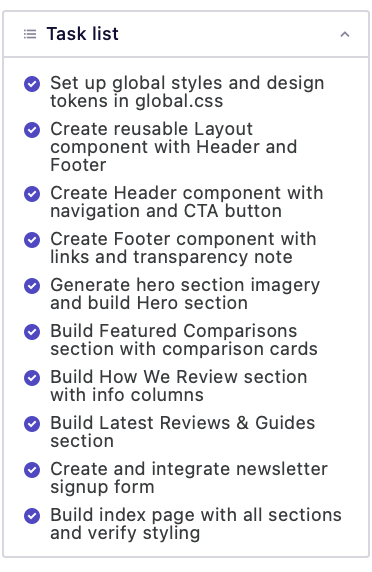
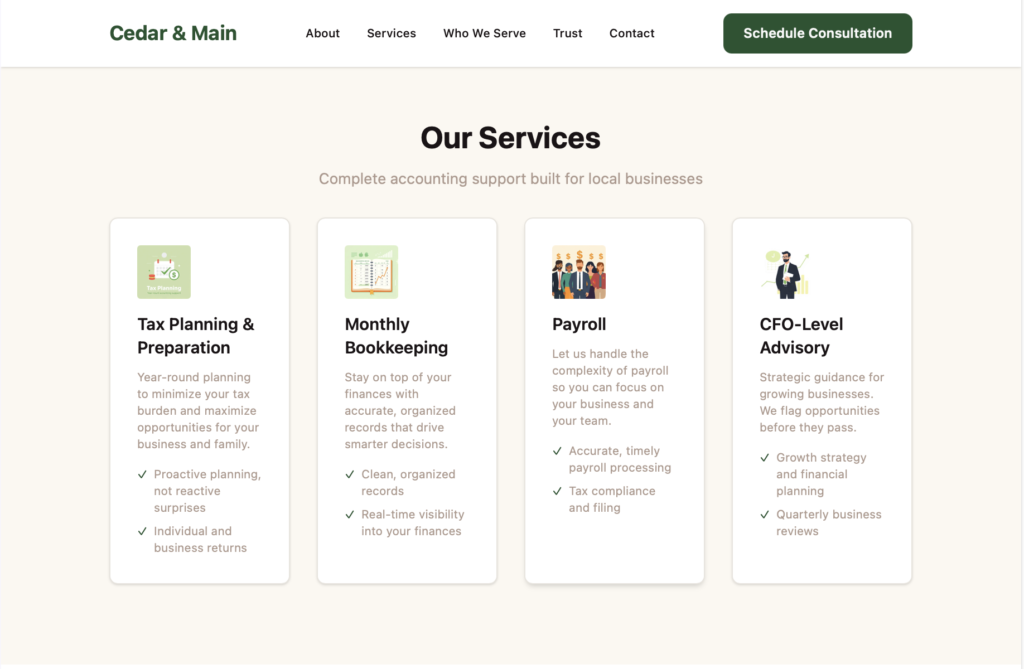
We tested this twice, and we are transparent about the method. Firstly, we rebuilt our own site, VerityLoft, from scratch, exactly as a new business would start. Afterwards, we invented Cedar & Main Accounting, a fictional three-person CPA firm, and built its site from a blank page. Both drafts landed well above our expectations, since the builder handled services pages, bios, and contact flows without hand-holding. Specificity, though, is the lever that matters. Tell the AI what type of site you want, what your firm does, which services you offer, and who your clients are. Vague prompts still work, however the copy drifts toward generic small-business filler.
Colour deserves its own warning. Give the AI a full scheme up front, with hex codes for your primary, secondary, light text, dark text, and accent colours. Skip that step, however, and you get one of two outcomes. Either it defaults to the most popular palette for your industry, or it gets charmingly literal. Our Cedar & Main build, for instance, came back in forest green and beige, because cedar. That default is fine if a conventional and/or literal look is all you’re after; It is a missed opportunity if you want a real brand. Overall, editing was pleasant, the AI chat handled small changes quickly, and we score user-friendliness 4 out of 5.
Security and Client Trust
Accounting is a trust business, so the boring details matter here. Every B12 site ships with SSL, and client files arrive through uploads on your site instead of loose email attachments. Engagement letters, meanwhile, can go out for eSignature, which beats chasing paper across tax season. Credentials, testimonials, and a privacy policy are all simple to add. To be clear, none of this replaces your own professional compliance obligations. Still, the defaults make your firm look like it takes client data seriously.
Try Before You Buy: The Free Plan and the $1 Window
You can test everything we just described for almost nothing. The free plan costs $0, runs on a branded subdomain, and includes 5 AI credits a day, capped at 30 a month. That allowance is enough to generate a draft and poke at the editor. When you want a real domain and more credits, paid plans cost $1 a week for the first week. In fact, that $1 window is the cheapest honest trial in the category, because the full feature set unlocks while your risk stays tiny. Generate your firm’s draft here and judge the output for yourself.
Pricing
B12 runs on subscriptions, yet the AI itself is metered. Each plan includes monthly AI credits, and every AI action draws the balance down. Effectively, you pay per use for the AI on top of a base fee. Here is the self-serve lineup:
- $0 Free plan. A branded subdomain, the visual editor, and 5 AI credits a day with a 30-credit monthly cap.
- $49 Website plan, after $1 for a week. It also adds a custom domain free for the first year, 100 monthly credits, analytics, and no platform ads.
- $78 Website + Client Engagement plan, after the same $1 intro. In addition, it layers on 300 monthly credits, client intake, email marketing, a contact manager, contracts with eSignature, and file uploads.
Your firm should assume the $78 tier, because the client tools are the point. Expert-built Professional and Advanced plans also exist if you would rather have the design done for you. Domains deserve a note of their own. Registration runs through IONOS, the platform’s registrar partner, and your first year is free on paid plans. Renewals bill at standard rates afterward, so check those before you commit. We also priced brand protection, such as grabbing the matching .com, .net, and .org together. Those extra domains ran about $14 each for the first year. One more firsthand note concerns domains you already own. We brought one over from an outside registrar, and the flow identified the registrar and settings correctly on the first pass. Smooth is the honest word for it.
Coming from WordPress
Let us be blunt about the trade you are making. B12 is a walled garden. There is no plugin library, no theme marketplace, and no server access. WordPress hands you total flexibility, while this platform hands you speed inside a fence. By contrast, WordPress also hands you updates, security patches, and plugin conflicts to babysit. Most owners would happily pay to never think about those again. Power users will chafe, though. If your plans include custom calculators, a self-hosted client portal, or unusual integrations, stay where you are. When your site’s job is reception, however, the fence stops mattering.
Pros and Cons
The strengths:
- Vertical-aware AI drafts. Both of our test builds understood professional services, and setup took minutes.
- A genuine client desk, since scheduling, intake, eSignature, and invoicing ship together on one plan.
- Painless domains, with IONOS registration free for the first year and outside domains connecting cleanly.
- Cheap to try, because the free plan and the $1 intro window carry almost no risk.
The weaknesses:
- A walled garden. No plugins, no theme swaps, and no WordPress-style ownership.
- Metered AI credits, so heavy experimenting has a running cost.
- Generic copy without a detailed brief, which both of our builds produced until we tightened the prompt significantly.
- Full prices of $49 and $78 arrive quickly once the intro period ends.
Who Is B12 Best For?
B12 fits a solo CPA or a firm of two to ten people that wants a credible site and a working client pipeline this week. It also suits firms with zero in-house tech support, because there is nothing to maintain. Bookkeepers, tax preparers, and fractional CFOs sit in the same sweet spot. Larger practices with custom portals or strict IT policies should look elsewhere. So should anyone who wants to own every layer of their stack. If that sounds like you, or if a greener build appeals, read our Create.net review before you decide.
The Verdict
The platform delivered two impressive drafts, one smooth domain move, and a client desk that would otherwise take four tools to assemble. It lost points, though, for the walled garden, the metered credits, and stock copy that needs a human pass. Weighing everything our two builds showed us, we score B12 4 out of 5 for a small or medium firm like yours. Even so, that is a strong score in a category this crowded. Start your firm’s free draft and see whether the front desk earns its keep by Friday.
Frequently Asked Questions
Is B12 good for accounting firms?
Our fictional CPA build came out clean, professional, and correctly structured. Even so, the AI’s copy still needed a rewrite before it sounded like you.
How much does B12 cost?
Plans run $0, $49, or $78 a month, and paid tiers cost $1 a month for the first three months. Most firms, of course, will want the $78 Client Engagement tier.
What are AI credits?
Every AI action, such as generating a page or rewriting a section, draws from a monthly allowance. Free accounts get up to 30 credits, while paid plans include 100 or 300.
Do I get a free domain?
Paid plans include one custom domain, registered through partner IONOS, free for your first year. Standard renewal rates apply after that, so budget for year two.
Can I keep my current domain?
You can, and we did exactly that during testing. The platform identified the outside registrar and its settings correctly, and the whole move took only minutes.
Is it better than WordPress for a small firm?
It is easier, without question. Better depends on you, because WordPress wins on flexibility and ownership, while B12wins on speed and bundled client tools. When your site’s job is reception, choose the latter.
Sources and Further Reading
- How Create.net Turns Your New Website Into a Growing Forest — our hands-on review of a greener website builder.
- FileYourTaxes.com is The Weirdly Practical Tax Tool From 1995 — the low-cost filing tool worth knowing about.
- The Brutal Truth About UKHost4u (2026) — our tested review of a budget web host.
- B12 Pricing — official plan, credit, and domain terms.
- Domains and your B12 website — the help-center page on the IONOS partnership.
- Customer reviews on G2 — user ratings for the platform.
- Verified reviews on Capterra — feedback from 113 users.